The WorkGaming Launcher
Your home base for all WorkGaming apps. Browse, launch, and stay updated.
What is the Launcher?
The WorkGaming Launcher is your central hub for all WorkGaming productivity apps — similar to Battle.net or the Epic Games Launcher. It shows your installed apps, upcoming releases, news, and promotions.
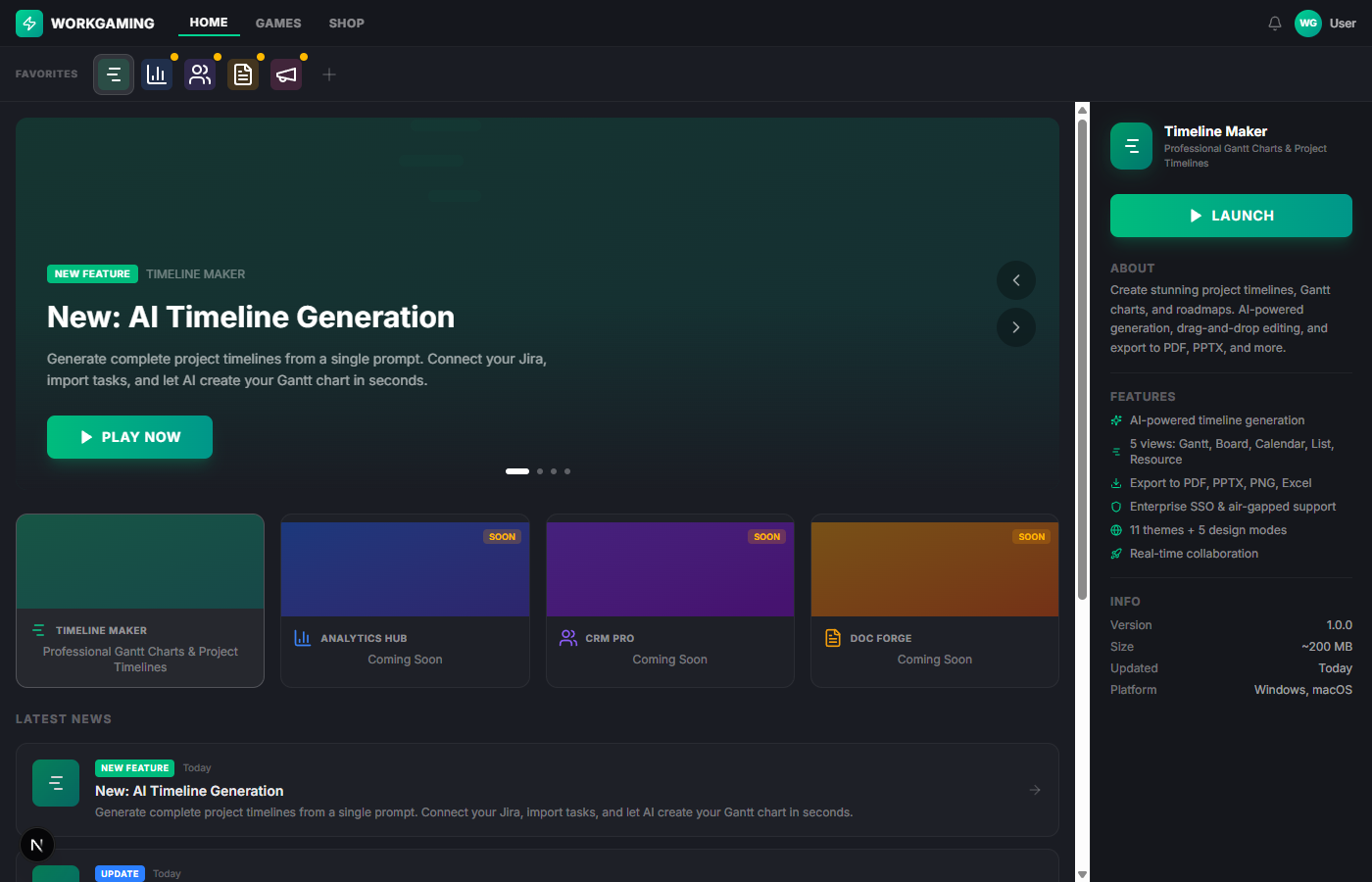
Navigating the Launcher
Top bar — HOME, GAMES, SHOP navigation plus notifications and your profile.
Favorites bar — Quick-access icons for your installed and favorited apps.
Hero banner — News carousel with the latest updates and feature announcements. Click the arrows or dots to browse stories.
App cards — Grid of available apps showing status (installed, coming soon) and gradient artwork.
Right panel — Detailed info about the selected app including features, version, and the Launch/Install button.
News feed — Scrollable list of all announcements sorted by date.
Launching Timezylla
Click the green 'Play Now' button in the hero banner or the 'Launch' button in the right panel. Timezylla opens in a new window while the Launcher stays in the background.
You can also double-click the Timezylla icon in the favorites bar for quick access.
Future apps
Additional WorkGaming apps are shown as 'Coming Soon' in the Launcher. Click 'Notify Me' to be alerted when they're available. These apps will install directly from the Launcher — no separate downloads needed.
Was this article helpful?